Kubernetes is no longer “optional” for modern infrastructure—it’s the operating system of the cloud.
For those planning to learn Kubernetes in 2026, first, it’s essential to realize that the key isn’t only what to learn, but also when and why, so that you can structure your learning effectively.
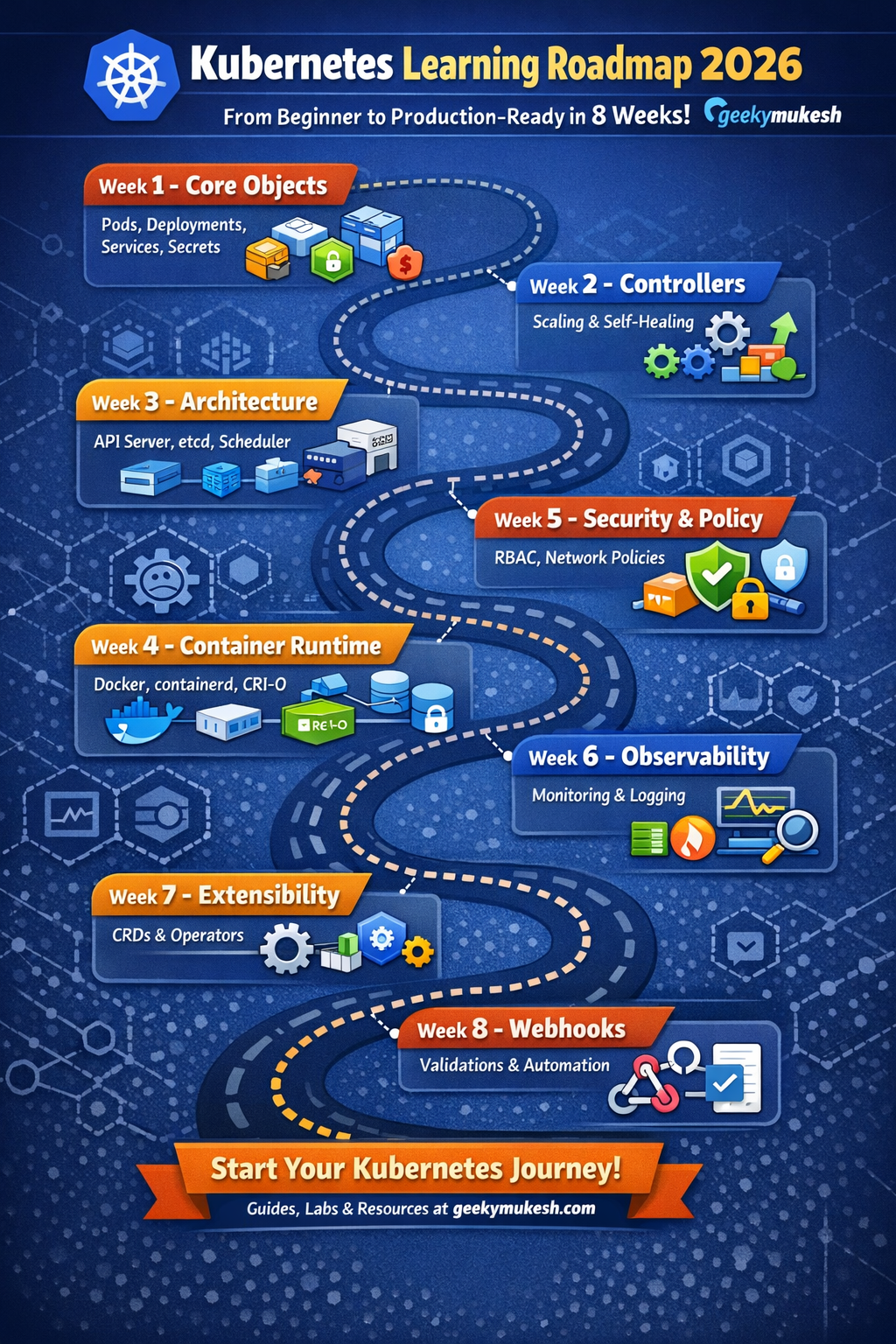
This 8-week roadmap is designed to take you from core concepts to real-world, production-grade Kubernetes, focusing on how things actually work inside clusters used by companies today.
🗓️ Week 1: Core Kubernetes Objects (Your Building Blocks)
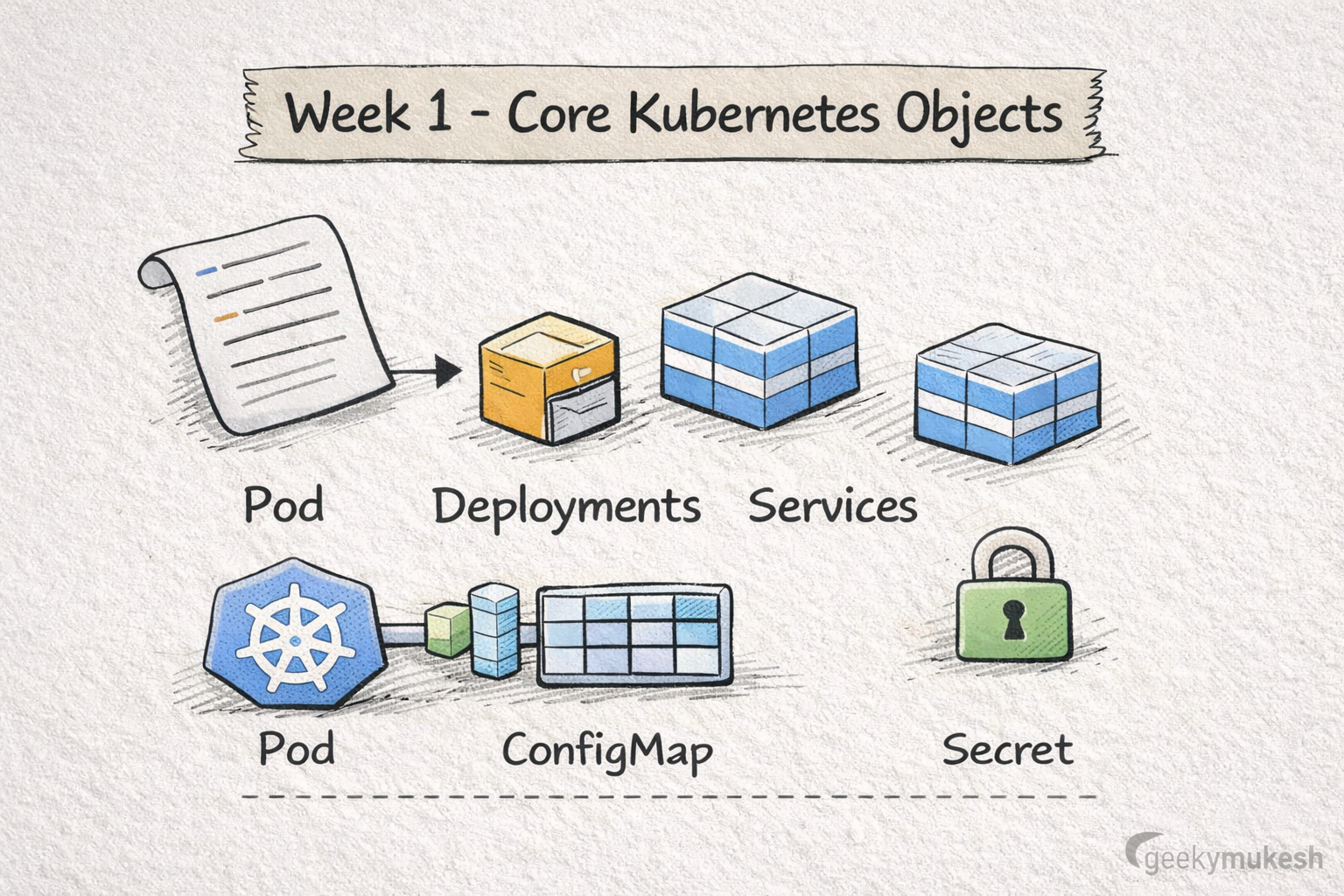
First, everything in Kubernetes starts with objects. In fact, these objects are the basic building blocks that run, expose, and configure your applications. For example, a Pod represents one or more containers running together, while a Deployment ensures that the correct number of Pods are always running. Additionally, Services provide stable networking endpoints, and ConfigMaps and Secrets allow you to externalize configuration and sensitive data. Therefore, mastering these objects in Week 1 lays the foundation for all subsequent Kubernetes learning. Next, you will explore how controllers maintain the desired state automatically.
What to Learn
- Pods – The smallest deployable unit (one or more containers)
- Deployments – Declarative updates, rolling deployments, replicas
- Services – Stable networking (ClusterIP, NodePort, LoadBalancer)
- Ingress – HTTP routing and TLS termination
- ConfigMaps & Secrets – Externalized configuration and credentials
Why It Matters
Most production outages happen due to misconfigured Deployments, Services, or Ingress rules—not Kubernetes bugs.
Kubernetes official documentation
Hands-On Practice
- Deploy a sample app (NGINX or Node.js)
- Expose it via Service + Ingress
- Inject configs using ConfigMaps instead of hardcoding
🗓️ Week 2: Controllers & Desired State
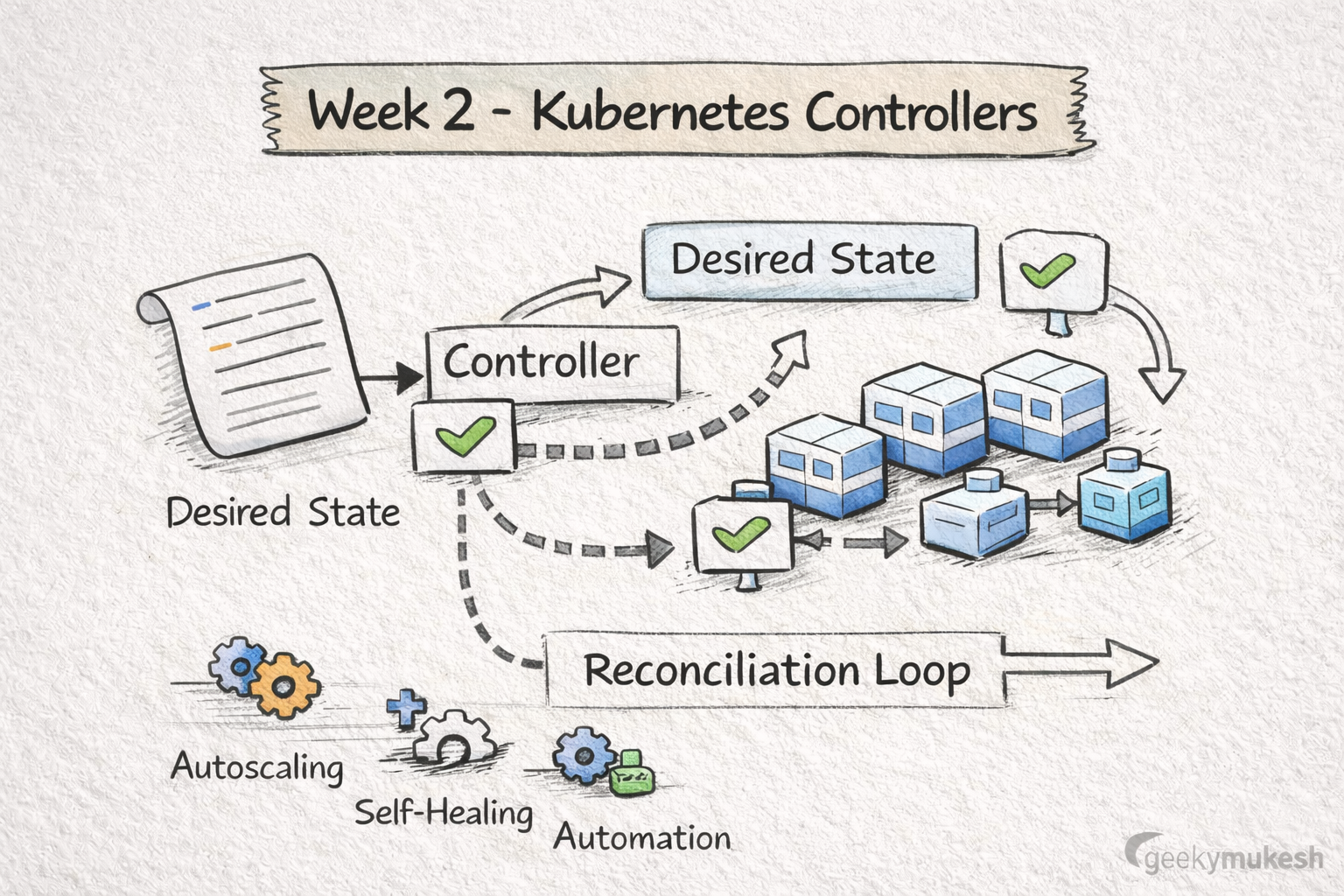
However, Kubernetes isn’t magic—it’s continuous reconciliation. Next, Kubernetes controllers ensure your cluster’s actual state matches the desired state. For instance, a Deployment controller automatically replaces failed Pods, while a Job controller runs tasks to completion. Moreover, the Horizontal Pod Autoscaler allows automatic scaling based on resource usage. As a result, controllers remove the need for constant manual intervention. Additionally, understanding controllers helps you predict cluster behavior and improves debugging skills. Finally, practicing with sample applications will solidify these concepts before moving to architecture.
What to Learn
- How controllers monitor desired vs actual state
- ReplicaSet, Deployment, Job, CronJob controllers
- Horizontal Pod Autoscaler (HPA) basics
Why It Matters
Controllers enable:
- Self-healing workloads
- Automatic scaling
- Zero-downtime deployments
Once you understand controllers, Kubernetes stops feeling “unpredictable.”
Kubernetes architecture explained
Hands-On Practice
- Kill Pods manually and observe recovery
- Configure HPA based on CPU or memory
- Run batch jobs using Jobs & CronJobs
🗓️ Week 3: Kubernetes Architecture (The Backbone)
Unfortunately, most engineers skip this step—and regret it later. Therefore, taking time to understand architecture now will save headaches in production. Ultimately, it’s the backbone of a stable cluster.
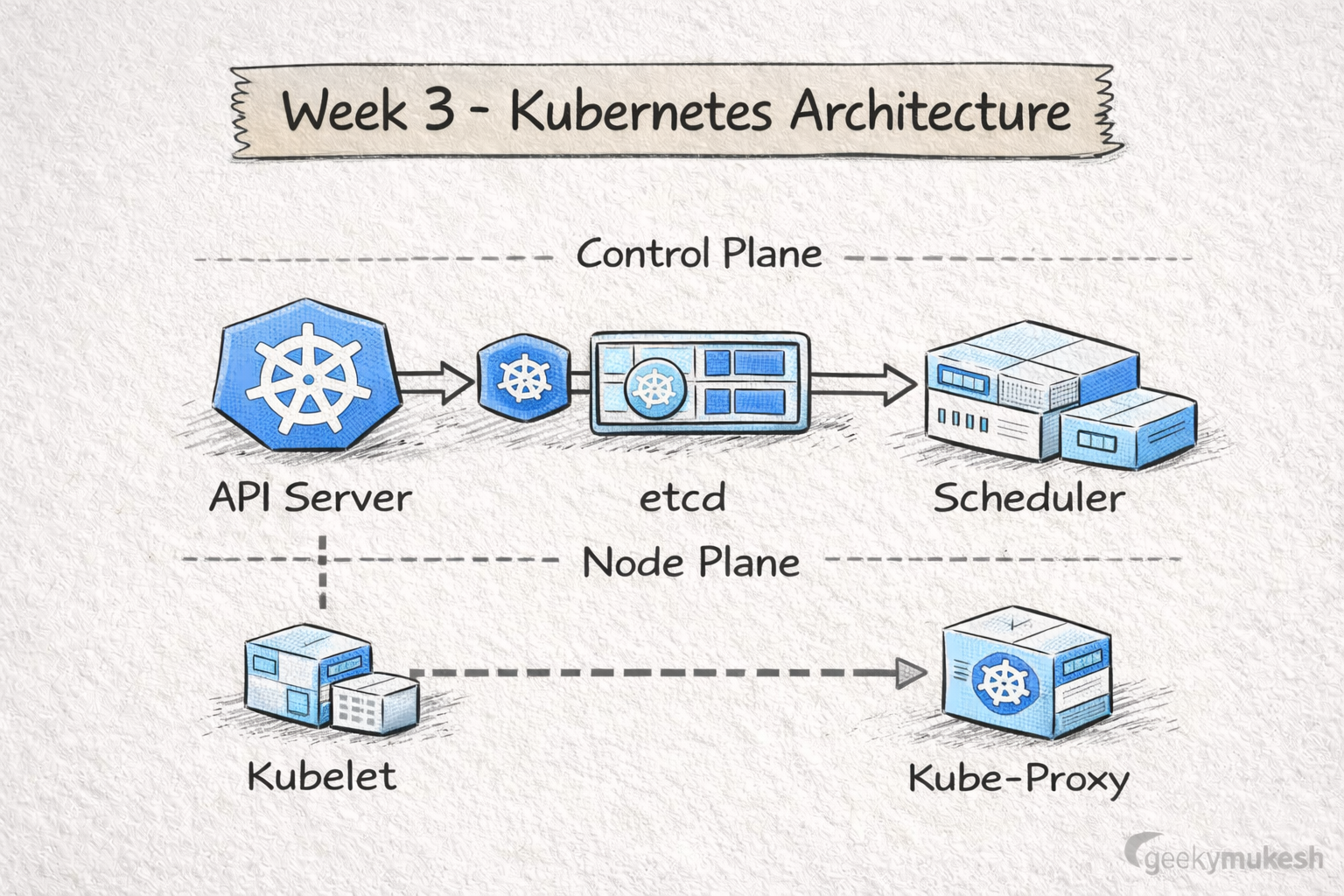
Following that, Week 3 focuses on Kubernetes architecture. Specifically, the Control Plane includes the API Server, Scheduler, Controller Manager, and etcd, while Nodes run kubelet and kube-proxy. Moreover, understanding how these components interact helps in troubleshooting network and scheduling issues. For example, the Scheduler decides which Node a Pod should run on, while etcd stores the cluster’s state reliably. Therefore, investing time in architecture understanding prevents common operational mistakes. Next, you’ll dive into container runtimes to see what actually executes these workloads.
Core Components
- API Server – Entry point for all requests
- Scheduler – Decides where Pods run
- Controller Manager – Runs control loops
- etcd – Distributed key-value store
- kubelet & kube-proxy – Node-level agents
Why It Matters
Understanding architecture helps you:
- Debug cluster-level failures
- Prepare for CKA/CKS exams
- Design scalable platforms
Hands-On Practice
- Explore
/metricsand/healthz - Inspect etcd objects
- Read real scheduler decision logs
🗓️ Week 4: Container Runtime & CRI
Containers don’t run “by magic” either.
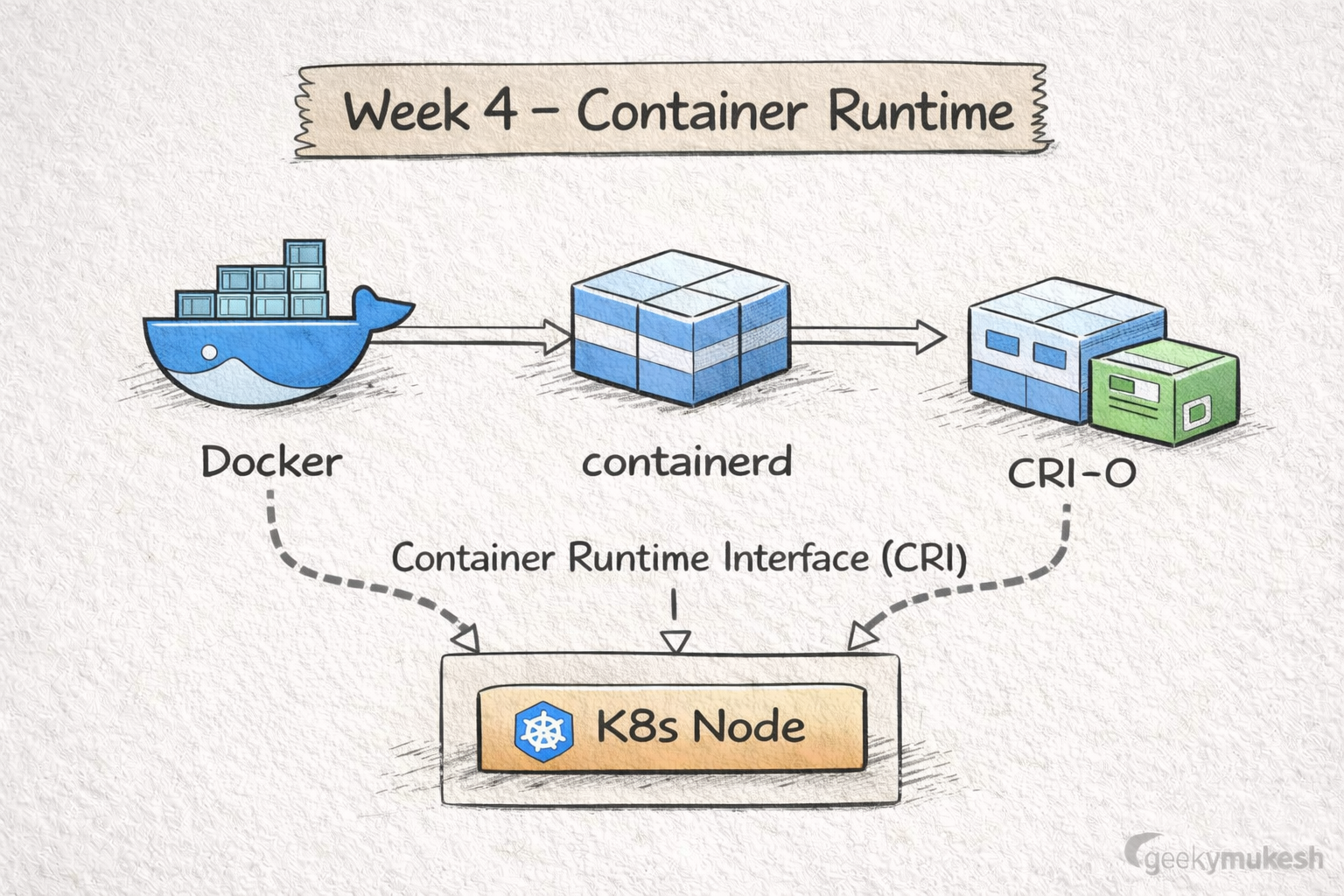
Next, learn what actually runs your containers under the hood. For instance, Docker, containerd, and CRI-O each have unique characteristics. Additionally, understanding the runtime helps you optimize performance and troubleshoot issues. Finally, this knowledge is critical for production-grade deployments.
Container runtimes such as Docker, containerd, and CRI-O are responsible for executing containers on Kubernetes nodes. For example, Docker was the original runtime, but most production clusters now use containerd or CRI-O for efficiency. Additionally, the Container Runtime Interface (CRI) allows Kubernetes to interact consistently with any runtime. Consequently, understanding runtimes helps in optimizing performance and debugging container-level issues. Moreover, examining logs and container resource usage provides insights into real-world performance. Finally, knowing how runtimes work bridges the gap between applications and the underlying infrastructure.
What to Learn
- Docker vs containerd vs CRI-O
- Container Runtime Interface (CRI)
- How Kubernetes talks to runtimes
- Runtime impact on performance & security
Why It Matters
By 2026:
- Docker is mostly a developer tool
- containerd and CRI-O dominate production
Hands-On Practice
- Inspect containers via
crictl - Compare startup times
- Understand image layers and garbage collection
🗓️ Week 5: Security & Policy (Non-Negotiable Skills)
Security is where Kubernetes careers are made—or broken.
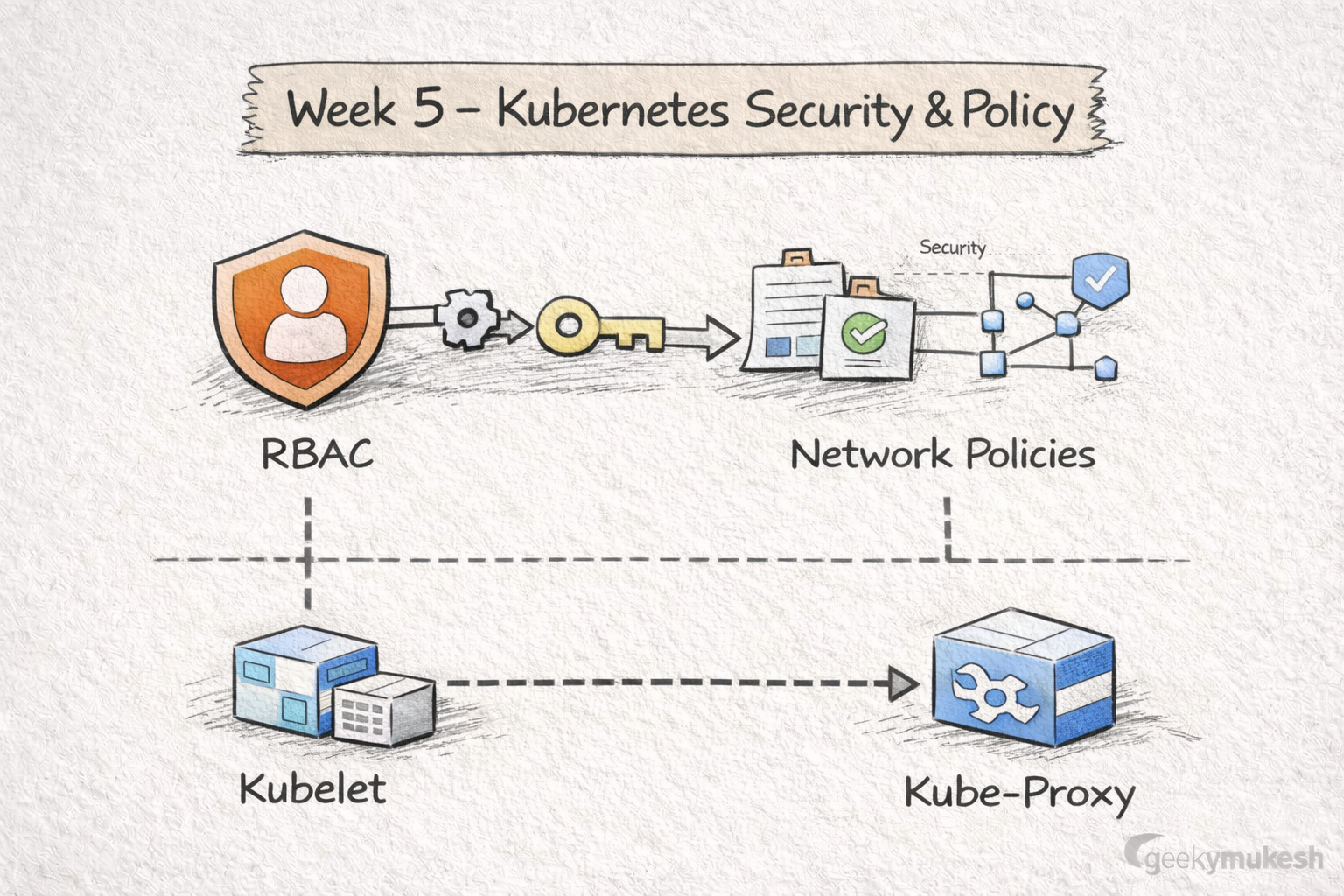
At this stage, security becomes critical. Specifically, Role-Based Access Control (RBAC) determines who can perform which actions, while Network Policies restrict Pod-to-Pod communication. For instance, you can enforce that only certain Pods can communicate with a database Pod. Moreover, Secrets ensure sensitive data such as passwords or API keys are stored securely. Indeed, misconfigured security is one of the top reasons clusters are compromised. Therefore, applying best practices now prevents costly mistakes in production. Additionally, practicing RBAC rules in a test namespace reinforces these concepts.
What to Learn
- RBAC – Roles, ClusterRoles, Bindings
- Secrets management (and encryption at rest)
- Network Policies – Pod-to-Pod restrictions
- Pod Security Standards (PSS)
Why It Matters
Misconfigured RBAC is one of the top enterprise risks in Kubernetes.
Hands-On Practice
- Lock down namespaces with RBAC
- Implement default-deny Network Policies
- Audit permissions using
kubectl auth can-i
🗓️ Week 6: Observability (How You Survive Production)
Indeed, if you can’t observe it—you can’t fix it.
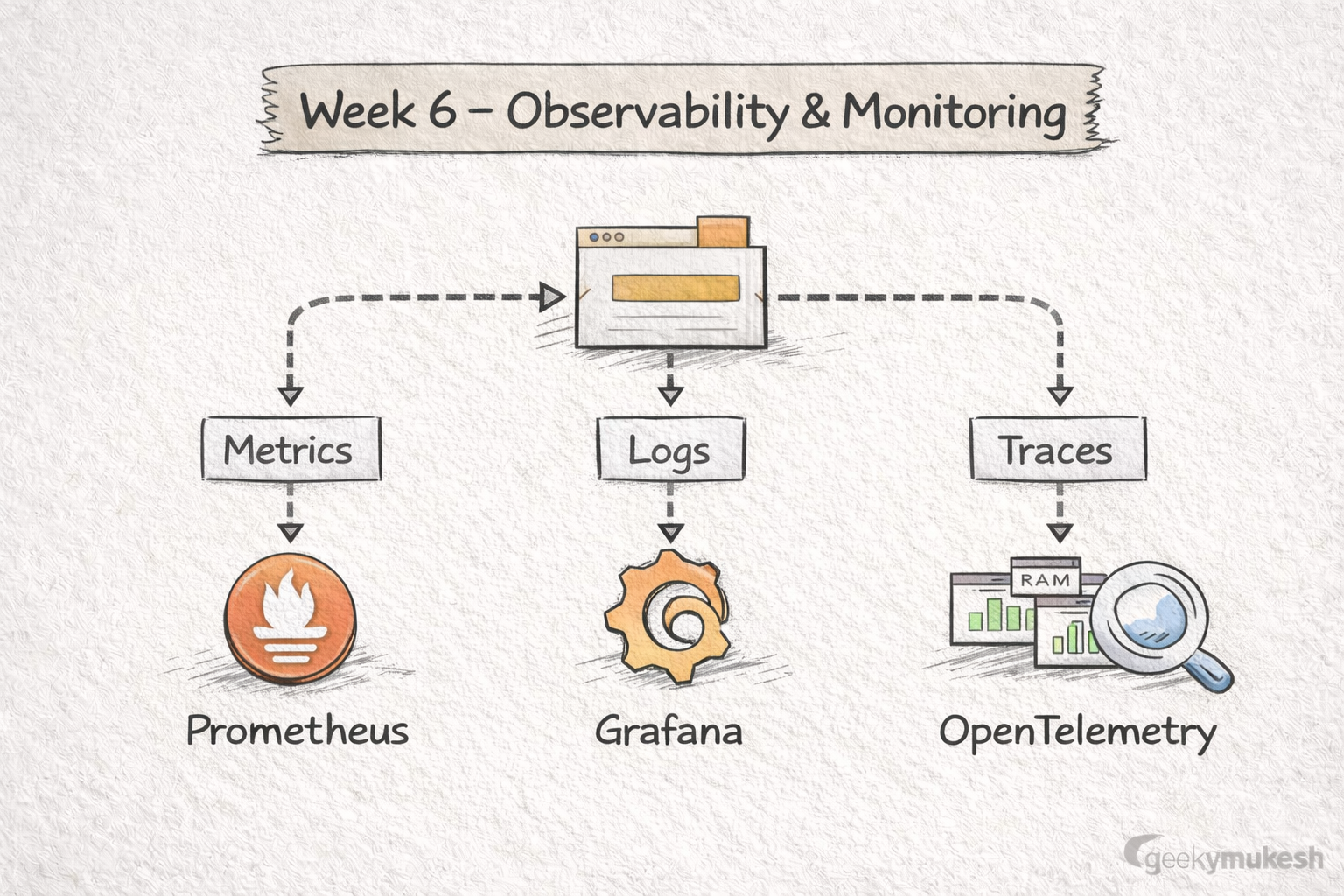
Next, track health, logs, performance, and failures using Prometheus, Grafana, and Open-Telemetry. In fact, these tools give you visibility into the system and help pinpoint problems. Consequently, this week teaches you how to debug real production issues effectively. Finally, observability ensures you can maintain stable and reliable clusters.
Moreover, observability ensures you know what is happening in your cluster. Specifically, Prometheus collects metrics, Grafana visualizes them, and OpenTelemetry traces requests across services. For example, you can create dashboards to monitor CPU, memory, and Pod restarts. Additionally, alerts can notify you of performance degradation or failures. Consequently, these practices allow you to debug production issues efficiently. Moreover, understanding observability patterns prepares you for SRE and platform engineering roles. Finally, hands-on labs help solidify monitoring and troubleshooting skills.
What to Learn
- Metrics – Prometheus
- Visualization – Grafana
- Tracing – OpenTelemetry
- Logs vs metrics vs traces
Why It Matters
Every real Kubernetes incident starts with:
“Why is this Pod slow or crashing?”
Observability gives you the answer.
Hands-On Practice
- Build dashboards for CPU/memory
- Create alerts for Pod restarts
- Trace a request across services
🗓️ Week 7: Extensibility & Platform Engineering
This is where Kubernetes becomes a platform, not just an orchestrator.
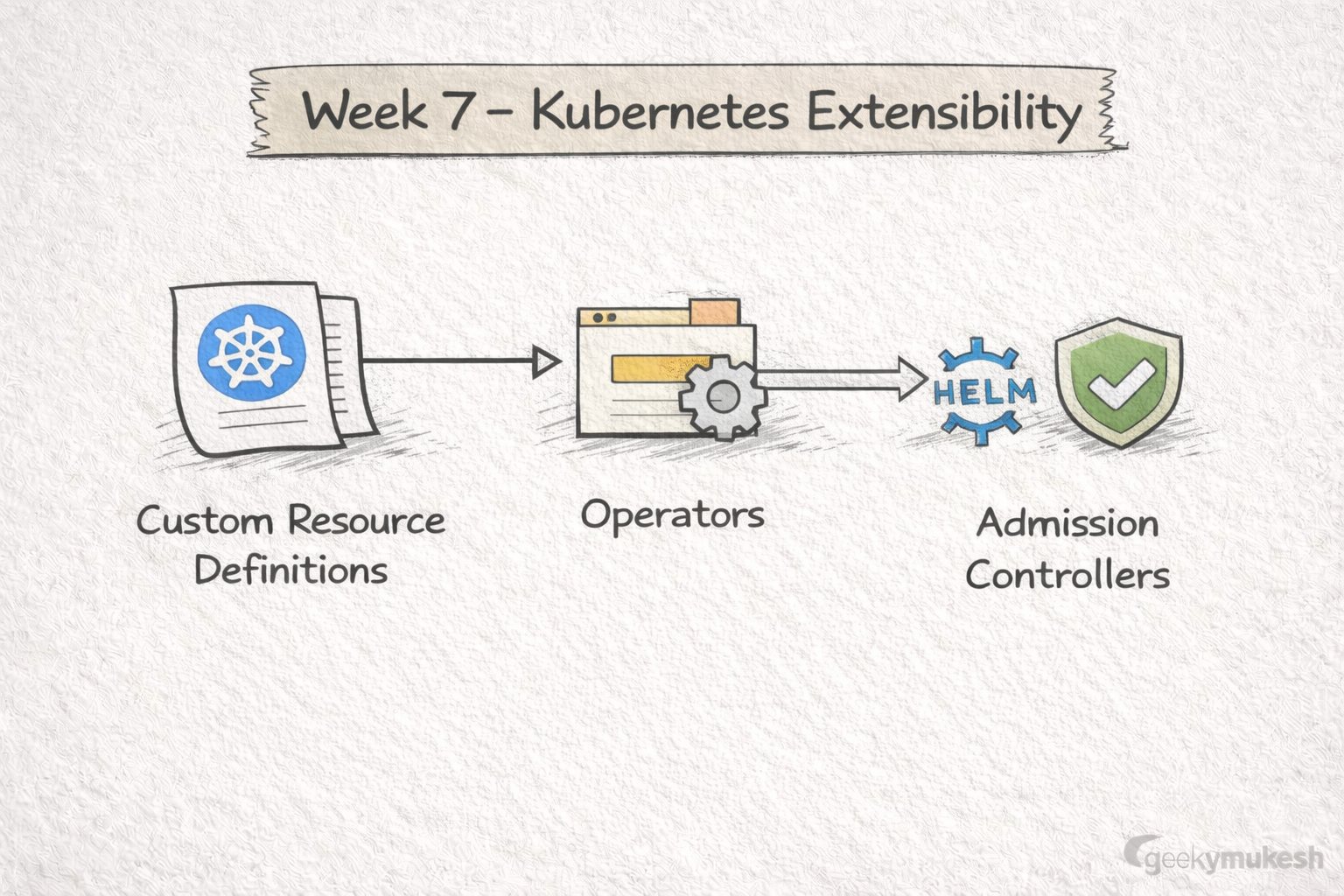
Following that, learn how Kubernetes can be customized using Operators, CRDs, Helm Charts, and Admission Controllers. Additionally, these techniques are crucial for platform engineering and building internal developer platforms. Moreover, mastering extensibility allows you to automate complex workflows. Ultimately, it gives you more control over your cluster environment.
Kubernetes is highly extensible. For instance, Custom Resource Definitions (CRDs) allow you to define your own resources, while Operators automate complex workflows. Additionally, Helm charts simplify application deployment and version management. Moreover, Admission Controllers can enforce policies automatically on incoming requests. Therefore, mastering extensibility equips you to build internal developer platforms or automation pipelines. Next, you’ll learn how Webhooks add advanced automation and policy control.
What to Learn
- Custom Resource Definitions (CRDs)
- Operators & reconciliation logic
- Helm charts & templating
- Admission Controllers (intro)
Why It Matters
Most modern companies build:
- Internal Developer Platforms (IDPs)
- Custom abstractions on Kubernetes
Hands-On Practice
- Install an Operator (Prometheus, ArgoCD)
- Write a simple CRD
- Package apps using Helm
🗓️ Week 8: Webhooks & Advanced Control
Webhooks give you god-mode control over Kubernetes behavior.
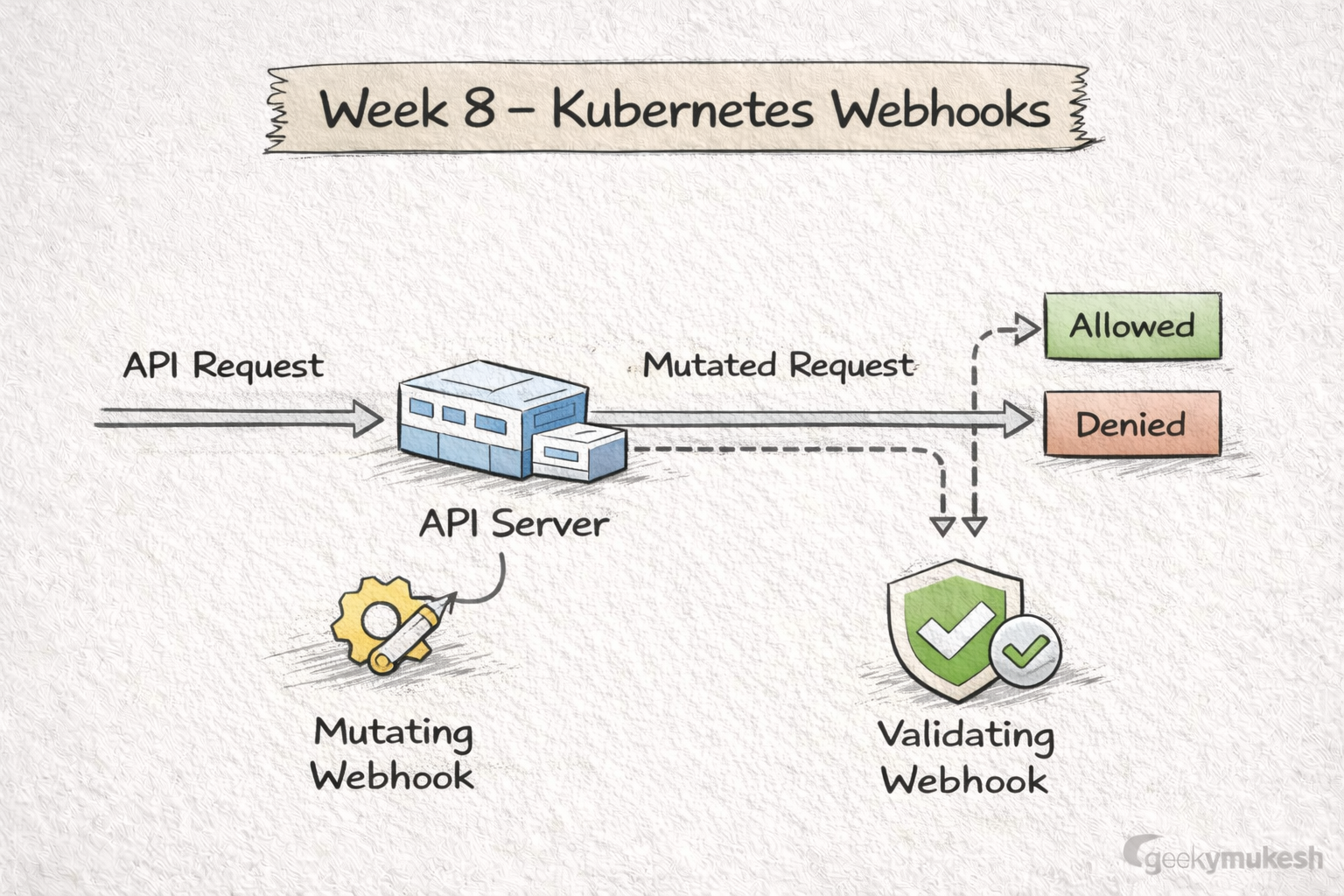
Finally, Webhooks enable Kubernetes to intercept API requests. Specifically, Mutating Webhooks can modify requests, while Validating Webhooks approve or reject them. For example, you can automatically inject sidecars or enforce naming conventions. Additionally, Webhooks help maintain security and policy compliance at scale. Indeed, combining Webhooks with RBAC and Network Policies ensures robust cluster governance. Consequently, mastering Webhooks marks the final step in becoming a production-ready Kubernetes engineer.
What to Learn
- Mutating vs Validating webhooks
- API request lifecycle
- Policy enforcement patterns
Why It Matters
Webhooks enable:
- Security enforcement
- Governance
- Automation at scale
Hands-On Practice
- Reject non-compliant Pods
- Auto-inject labels or sidecars
- Integrate with policy engines (OPA/Gatekeeper)

Leave a Reply